Laser Cutting Ornaments Wooden Boxes: A Seller's Review
A few weeks ago, I was building out a holiday gift box collection for my Etsy shop. I wanted something that felt handmade and elegant, but also practical enough to produce in small batches without losing my mind. When I started testing Ornaments Wooden Gift Box Laser Cut 04, I was immediately drawn to the delicate ornamentation, but I needed to know if this file would hold up across different selling scenarios—from physical laser-cut boxes to potential digital clipart bundles. This review is exactly the kind of no-nonsense breakdown I would have wanted before investing time and money into a new design asset.
First Impressions: The Ornament Detail and Mood
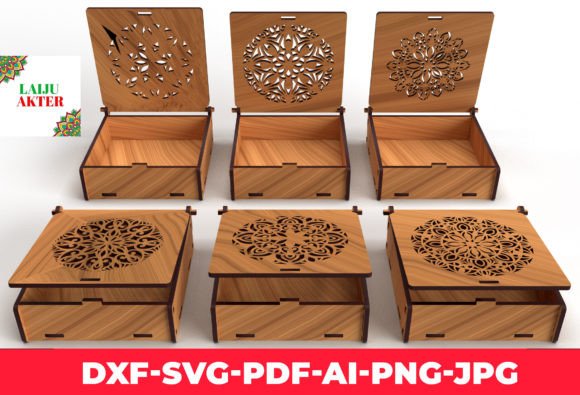
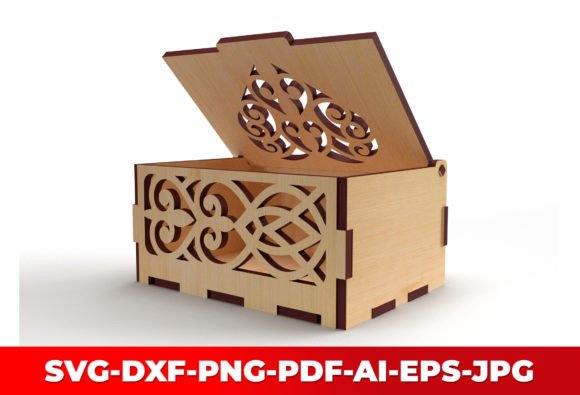
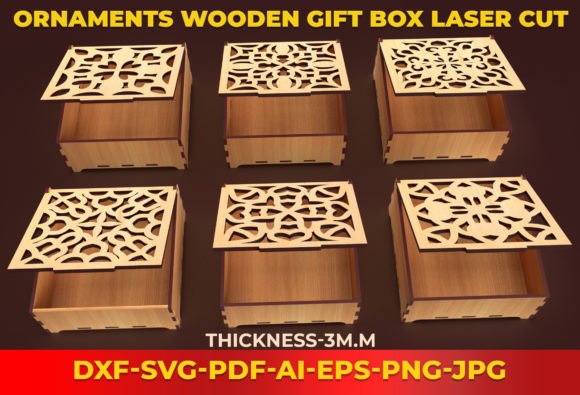
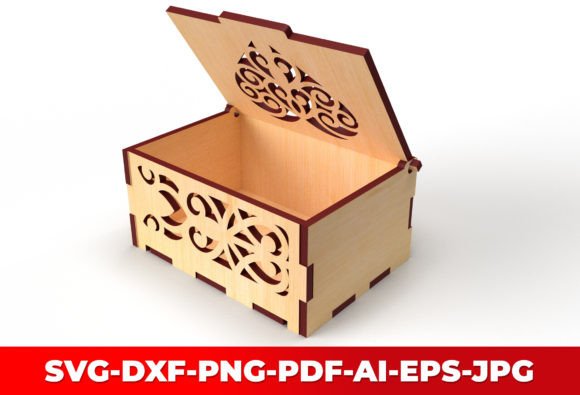
The file is a decorative laser-cut jewelry box with a lid, designed for wood material. The ornamental pattern is intricate without being fussy. When I opened the SVG, the cut lines were clean, and the scrollwork had that balanced rhythm that works well on a small 160mm box. The mood sits somewhere between rustic charm and refined festive decor. It’s not overtly Christmas-specific—you could easily position this for weddings, anniversaries, or as a keepsake box for any season. The visual personality leans toward a “premium handmade” feel, which is exactly what many Etsy buyers and craft fair customers are looking for right now.
The overall aesthetic will appeal to shoppers who love nature-inspired, ornamental, and slightly traditional styles. If your brand already uses serif fonts, kraft paper packaging, or vintage-inspired branding, this box design will slide right into your lineup. It also pairs well with minimalist product photography because the cutouts create beautiful shadows when lit from the side.
Who Is This Digital File Really For?
Before diving deeper, let’s talk about the audience. Ornaments Wooden Gift Box Laser Cut 04 is a vector file for laser cutting, so the primary user is someone with access to a Glowforge, xTool, or similar laser cutter. But as a digital product creator, I’m always thinking about how to stretch an asset. This file isn’t just for woodworkers—it’s a goldmine for designers who sell SVG bundles, printable wall art, sublimation designs, and even Canva templates if you extract the ornamental elements.
If you’re a Cricut or Silhouette user, the cut lines are too intricate for sticker paper, but you could use the design as an engraving template or to create stencils. For print-on-demand sellers, the ornament motifs could be isolated and turned into repeating patterns for mugs, tote bags, or tumbler wraps. The bottom line: if you’re comfortable opening an SVG in Adobe Illustrator or Inkscape, you can repurpose this file in surprising ways.
For the Physical Laser Cutting Shop
The most straightforward use is creating and selling finished wooden boxes. I tested the file on 3mm Baltic birch plywood, and the box assembled cleanly. The lid fits snugly, and the ornamental cutouts are large enough to avoid snapping during sanding. Because the finished size is about 160mm, it’s ideal for small jewelry, tea bags, or a thoughtful gift card holder. You can photograph these boxes with linen liners or gold foil accents to increase perceived value. Listing images with a single box on a neutral background perform well on Etsy, and you can offer bundle deals with multiple boxes or seasonal themes.
For the Digital Download Creator
If you sell digital files, you can list this as a laser-cut SVG template on Creative Fabrica, Etsy, or your own Shopify store. The original file description mentions “Vector Files For Wood Laser Cutting,” so you’ll want to include clear instructions, material recommendations, and perhaps a simple assembly guide. Adding a commercial license note is critical—many buyers will want to sell the physical boxes they make, so a clear commercial license will increase your sales. I’ve found that packaging this file with a few other box designs in a “Laser Cut Gift Box Bundle” can raise the average order value.
Expanding the Ornaments into Other Products
Here’s where it gets interesting for creative entrepreneurs. The ornamental elements can be separated and used as standalone PNG designs, clipart, or sublimation graphics. I cropped a few of the scroll motifs and placed them onto greeting card templates and printable wall art. The result was a cohesive, elegant look that felt expensive. You can also use the silhouette of the assembled box as a product mockup frame—overlay digital patterns or typography inside the cutout area for a unique presentation.
Checking Cut Quality and Material Compatibility
I always run a test cut before committing to a full production run. The SVG paths were well-joined, with no stray nodes or double lines that could cause the laser to pass twice. The design is optimized for wood, but I also tried acrylic—it works, but the thinner material made the lid feel a bit flimsy. If you plan to sell the finished box, I’d recommend hardwoods like cherry or walnut for a premium look, but plywood is a budget-friendly alternative that still looks great. The dimensions are listed as 160mm x 1—I assume the “1” indicates a single file or perhaps a thickness marker, but always double-check the actual cut area in your software. I scaled the design slightly to fit a 150mm x 150mm sheet without losing detail.
Visualizing the Finished Product with Mockups
Before even cutting the first box, I imported the SVG into a mockup template to see how it would look in a lifestyle setting. This helped me decide on the final wood stain and whether to add a ribbon. For online listings, a good mockup can make or break your click-through rate. I used a clean, light-filled mockup with a white background and a few dried flowers next to the box. The contrast between the solid wood and the ornamental cutouts created a strong visual hierarchy that stopped the scroll. I also tested the thumbnail on a dark background—the design still read well, but the cutouts seemed to disappear a bit, so I’ll stick to lighter backgrounds for the main listing image.
Where This Design Shines in a Product Lineup
Ornaments Wooden Gift Box Laser Cut 04 works best in scenarios where the ornamental detail can be the star. Large product previews, themed holiday bundles, decorative layouts, and product mockups all benefit from the visual complexity. If you’re building a brand identity around handmade, small-batch goods, this box adds a level of craftsmanship that’s hard to fake. I’ve also seen similar designs used successfully in packaging design—imagine a lip balm or candle company using this box as a premium gift set container. It elevates the entire product.
For social media graphics, the assembled box photographs beautifully. The cutout shadows create natural depth, so you can post process shots or short assembly videos that perform well on Instagram and Pinterest. This kind of behind-the-scenes content builds customer trust and shows the effort behind the product.
Areas to Watch If You’re Adapting the Design
While the file is versatile, there are a few situations where you should use it carefully. Tiny sticker details are out—the ornament lines are too fine for vinyl cutting, and the intricate cuts might not weed cleanly. If you’re creating a text-heavy template, placing lettering over the cutout areas could reduce legibility. Low-resolution print products like small mugs or keychains might lose the delicate details, so test at actual size. Also, if you’re using the design for sublimation on dark fabrics, check the contrast; the openwork design relies on light and shadow, which doesn’t translate well to a flat, dark-colored print without careful color adjustments.
For Cricut or Silhouette users hoping to cut this as a paper craft, the detail is manageable with a sharp blade and light cardstock, but I wouldn’t recommend it for mass production. The file is really meant for laser cutting, and that’s where it shines.
Practical Seller Notes for a Smooth Launch
After testing, here’s my checklist for anyone preparing to sell using this asset:
- Test on real mockups—both digital and physical. A rendered mockup will show you how the box looks in a lifestyle setting, but a real photo communicates authenticity.
- Preview as a marketplace thumbnail—shrink the image to 200px and see if the ornamental detail still reads. If it muddies, consider a tighter crop.
- Check on white and dark backgrounds—the design benefits from a light backdrop to highlight the cutouts.
- Verify PNG transparency if you’re extracting motifs for clipart or sublimation. The SVG paths should export cleanly without edge artifacts.
- Inspect SVG cut quality—no open paths, overlapping lines, or unnecessary nodes. A clean file reduces customer complaints.
- Organize files clearly—if you’re selling the digital download, include the SVG, a PDF instruction sheet, and a commercial license text file in a zip folder.
- Pair with complementary fonts—the ornate design works well with a serif font for logos, a script font for accents, and a simple sans serif for descriptions. I tested it with a handwritten font on a thank-you card and the combination felt personal and cohesive.
- Confirm commercial licensing—if you bought the file, double-check the terms. If you’re reselling the file itself, make sure you have the rights to offer a commercial license to your customers.
Final Thoughts on Adding This Box to Your Creative Inventory
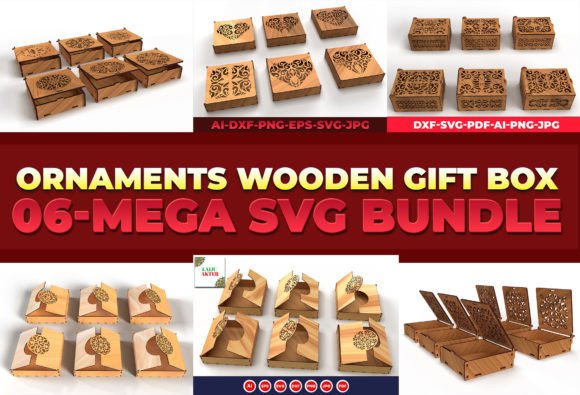
As a digital product creator, I’m always looking for assets that offer multiple revenue streams. Ornaments Wooden Gift Box Laser Cut 04 isn’t just a single-use file. It’s a graphic design asset that can anchor a physical goods line, a digital download shop, and a clipart collection all at once. The ornamental detail gives it a premium small business branding feel, and the manageable size makes it approachable for beginners. If you’re building a creative marketplace presence, this box can help you present a polished, cohesive product lineup that feels intentional and well-crafted.
I won’t promise it’ll be your bestseller overnight—no single design does that. But it’s a solid, well-drawn file that fills a real need for elegant, functional packaging. Test it, mock it up, and see how it fits with your existing brand identity. You might be surprised how many ways you can use it.